I remember opening the Masonic Lodge Secretary app for the first time. Expected some complicated dashboard with fifty buttons I didn’t understand.
Instead, I got a clean overview showing exactly what I needed to see. Member count. Upcoming meetings. Dues collection progress. Lodge health score.
Everything important, nothing overwhelming.
Within an hour, I’d added our entire member roster. Within a day, I had our officers assigned and our next three meetings scheduled.
Here’s how it all works and what you can actually do with it.
Freemasons Community: Join thousands of Masons from around the world in a private, active community built for the Craft.
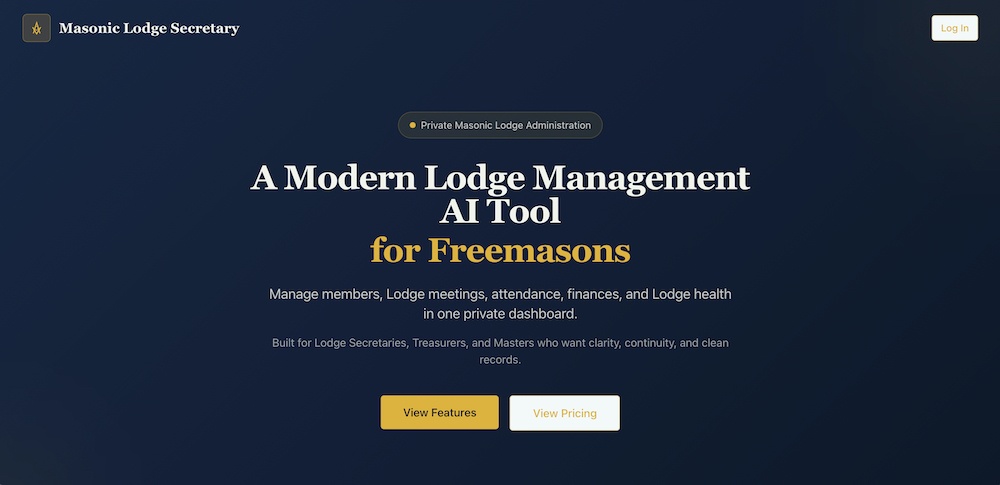
Masonic Lodge Secretary: Stop drowning in paperwork. Manage your entire Lodge from one simple, purpose-built tool.
MasonicFind Newsletter: The weekly read for serious Masons. Insights, ideas and resources delivered straight to your inbox.
Getting Started: Your Lodge Profile
First thing you’ll do is set up your lodge profile. Basic information that identifies who you are.
Lodge name and number. Jurisdiction. Meeting address. Regular meeting schedule.
This takes maybe five minutes. You’re just filling in what you already know.
Once that’s done, you’ve got a lodge. Everything else builds from there.
The system doesn’t force you to complete everything before you can start. Set up your profile, then jump into whatever matters most. Need to add members first? Do that. Want to schedule meetings? Start there.
There’s no required order. No setup wizard that holds you hostage until you finish seventeen steps.
Building Your Member Roster
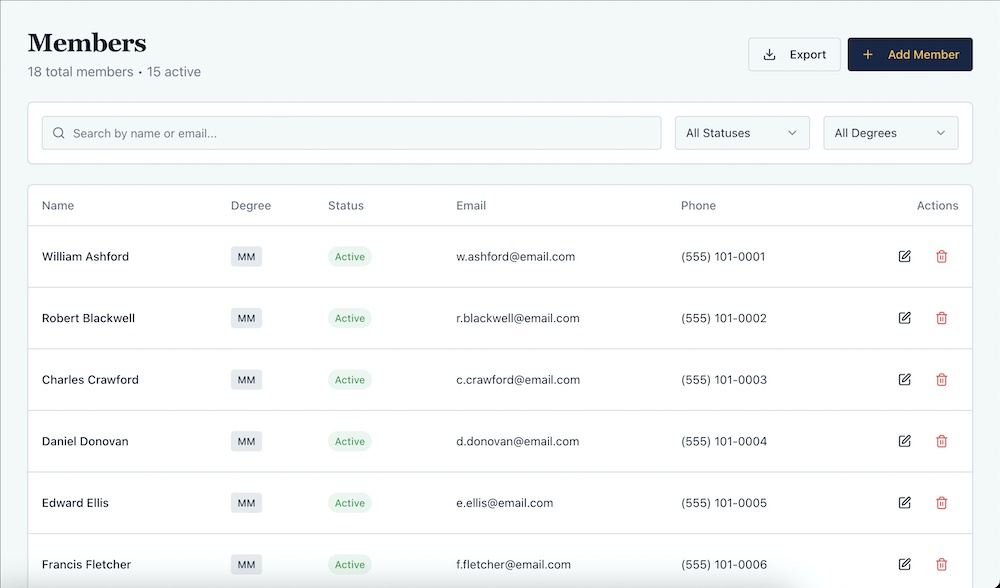
The member directory is where everything starts. You can’t track dues or assign officers or record attendance without members.
Adding members is straightforward. Click add member, fill in the details.
Name, degree, status, contact information. Initiation date, passing date, raising date if they’re Master Masons.
You can add members one at a time or import from a CSV if you’ve got your roster in a spreadsheet already. Most Secretaries do.
Each member gets their own record with everything about them in one place. Degree, status, contact info, key dates, current officer position if they hold one, dues status, attendance history.
Click on a member and you see their complete profile. Need to update their email? Do it right there. Need to change their status from active to inactive? One click.
The member list is searchable and filterable. Want to see only Master Masons? Filter by degree. Want to see only active members? Filter by status. Want to find Brother Johnson? Search his name.
You can export the entire member list to CSV anytime. Useful for Grand Lodge reports or just keeping a backup.
Member statuses include active, inactive, suspended, demitted, deceased, and candidate. Cover every situation your lodge deals with.
Assigning Officers
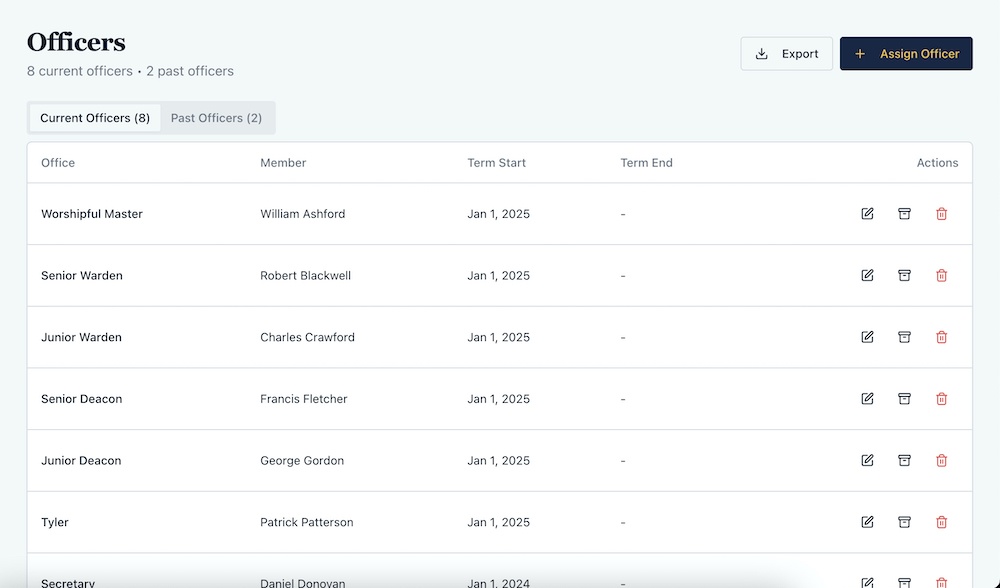
Once you’ve got members, you can assign officers. The system shows all twelve standard Masonic positions.
Worshipful Master, Senior Warden, Junior Warden, Treasurer, Secretary, Senior Deacon, Junior Deacon, Senior Steward, Junior Steward, Chaplain, Marshal, Tyler.
Each position shows whether it’s filled or vacant. Vacant positions are clearly marked so you know what needs filling.
To assign an officer, select the position, pick a member from your roster, set the term start date. Done.
The system records everything. Who holds what position. When their term started. If they’re serving in multiple positions, that’s visible too.
Our Chaplain served as Marshal one year. The system flagged it so we knew one guy was doing two jobs. Spreadsheets never showed that.
When someone steps down or gets reassigned, their term gets archived automatically with start and end dates. You’re building a complete historical record without thinking about it.
Need to see past officers? There’s a tab for that. Every officer who’s ever served, their position, their term dates. Searchable and exportable.
You can also add custom positions beyond the standard twelve. Trustees, education officers, ritual instructors, whatever your lodge needs.
Tracking Degree Candidates
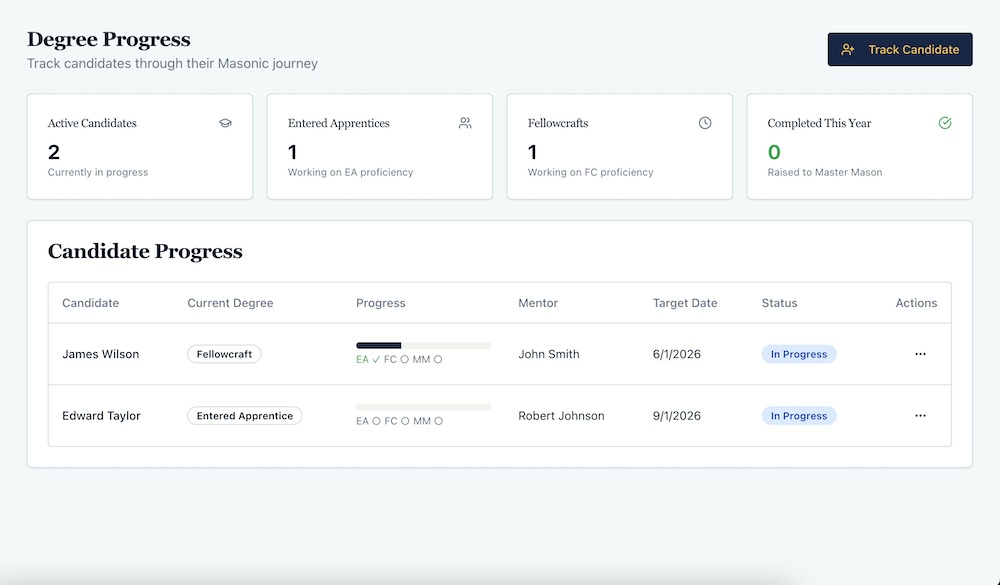
The degree progress section is where you track Brothers moving through their degrees. Entered Apprentices and Fellowcrafts working toward Master Mason.
Add a candidate by selecting an existing EA or FC member from your roster. Or create a brand new candidate if he’s not in the system yet. New candidates get added to your member roster automatically with “Candidate” status.
Each candidate shows their current degree, a visual progress bar showing where they are in the journey, proficiency completion dates for each degree, who their mentor is, target completion date, and current status.
You can mark proficiencies complete as they happen. Record the date and add notes if needed.
Assign mentors so everyone knows who’s responsible for each candidate. Reassign if the mentor changes.
Set target completion dates so you’re tracking whether candidates are on schedule or falling behind.
Status options include in progress, completed, on hold, and withdrawn. Covers every situation.
The dashboard shows active candidates, how many at each degree level, and how many completed this year. You can see your degree pipeline at a glance.
This is simple project management applied to degree work. But most lodges don’t track it systematically. With Masonic Lodge Secretary, it’s built in.
Scheduling and Logging Meetings
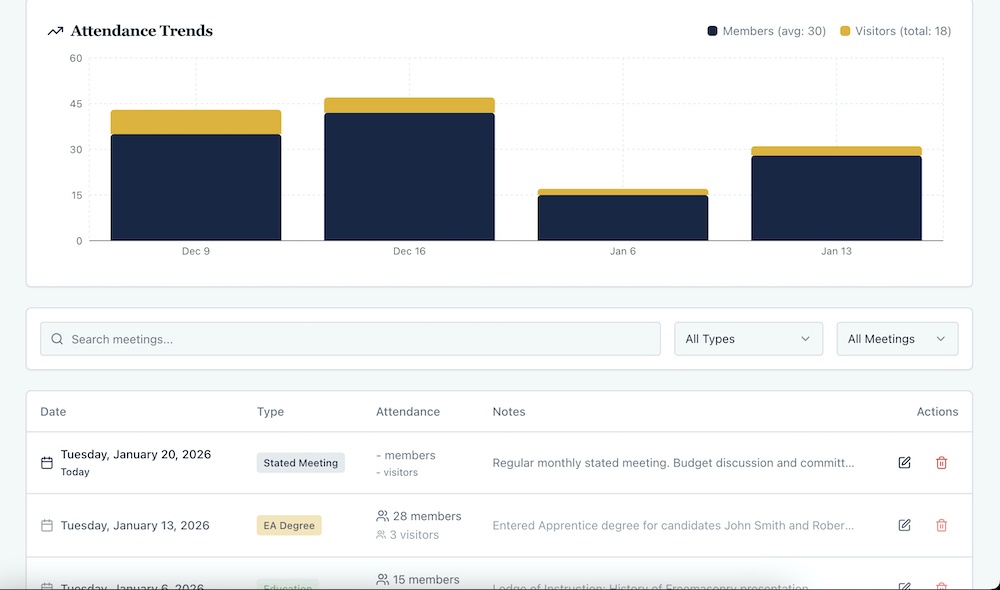
The meetings section handles both upcoming meetings and past meeting records.
Schedule a future meeting by setting the date and type. Stated meeting, EA degree, FC degree, MM degree, installation, emergency, education, special meeting.
The system knows if you’re scheduling something in the future or logging something in the past. The form adjusts automatically.
For past meetings, you log complete meeting minutes. Presiding officer, time opened and closed, degrees conferred, petitions received, bills approved, communications, committee reports, unfinished business, new business, general notes.
All the fields a proper set of minutes needs.
You also record attendance. How many members, how many visitors. The system tracks this over time so you can see attendance trends.
There’s a visual chart showing member attendance versus visitor attendance across meetings. You can see if attendance is improving, declining, or holding steady.
The best part? Generate PDF minutes with one click.
Professional formatted PDF with your lodge information, all meeting details, all minute fields filled in. Opens in a new window ready to print or save.
Those PDFs automatically save to your documents library. Every meeting minute preserved and searchable forever.
No more Word documents scattered across someone’s hard drive. No more “where did I save that file.” It’s all in one place.
Managing Dues Collection
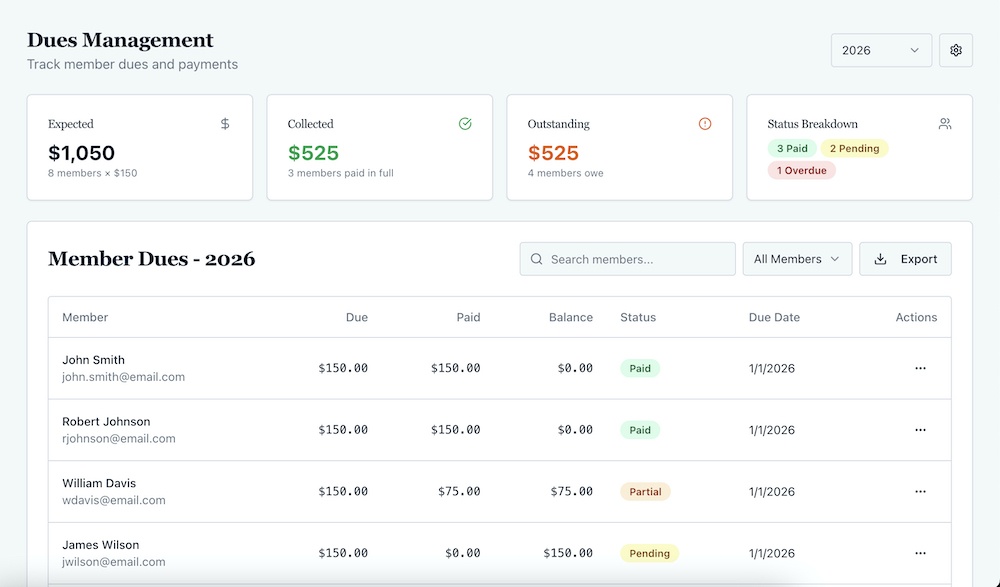
Dues management is where many lodges struggle.
Masonic Lodge Secretary makes it straightforward.
First, set your annual dues amount and due date in settings. The system generates a dues record for every active member automatically based on your member roster.
You don’t build the list. It builds itself. New member joins? He gets added to dues automatically. Member demits? He’s removed.
Each member shows amount due, payment status, due date, and actions available.
Payment statuses include paid, pending, overdue, exempt, and waived. Exempt and waived let you note reasons for special cases.
When someone pays dues, record the payment. Date, method (cash, check, credit card, bank transfer, other), notes if needed.
The system updates their status, generates a receipt, and recalculates collection totals automatically.
The dues dashboard shows expected total based on member count and annual amount, collected total, outstanding balance, and status breakdown. How many paid, how many pending, how many overdue.
There’s a visual progress bar showing collection percentage. You can see at a glance how dues collection is going.
You can set a lodge-wide due date and override it per member for special situations. Some Brothers pay early, some pay late, some have custom arrangements. The system handles it.
Export dues data to CSV anytime for your records or Grand Lodge reporting.
Tracking Finances
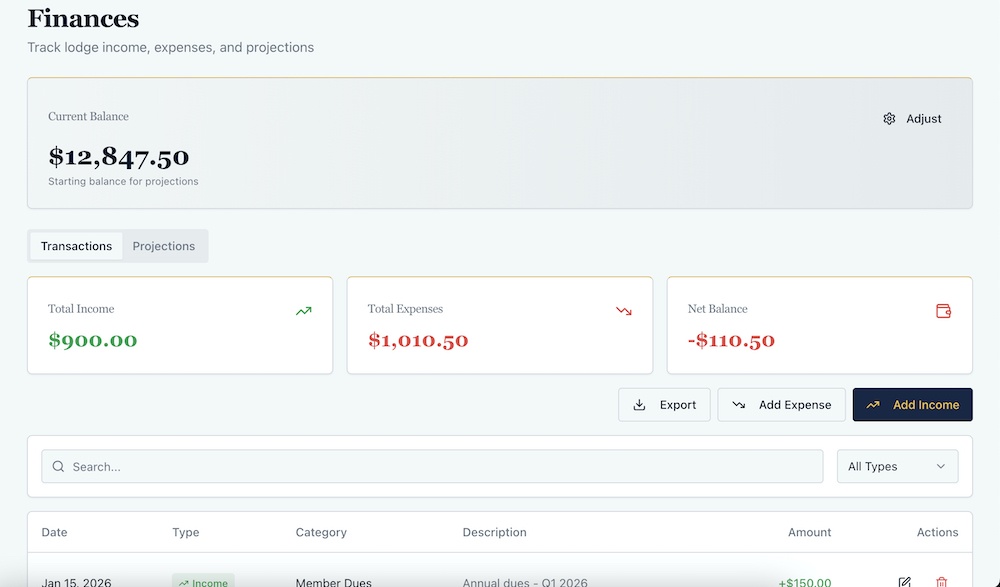
The finances section has two tabs: transactions and projections.
Transactions is where you record all income and expenses. Date, type (income or expense), category, description, amount.
Income categories include dues, donations, rentals, investments, other income.
Expense categories include utilities, supplies, maintenance, insurance, charitable giving, Grand Lodge fees, other expenses.
When you record dues payments, they automatically appear as income transactions. Everything stays synced.
The dashboard shows current balance, total income, total expenses, and net balance. Color-coded so you know immediately if you’re positive or negative.
You can adjust the current balance if needed. Sometimes you need to correct for starting balances or unrecorded transactions. The system lets you do that with notes explaining why.
The projections tab shows twelve-month financial forecast. It calculates expected dues income based on your active member count and annual dues amount.
Breaks it down month by month. Shows income, expenses, and running balance projection.
You can see exactly where your finances are headed. Not guessing. Actual projections based on your real numbers.
If you’re running a deficit, you’ll see it months in advance. If you’re building reserves, you’ll see that too.
Export all transactions to CSV for record-keeping or accountant review.
Logging Visitors (Optional)
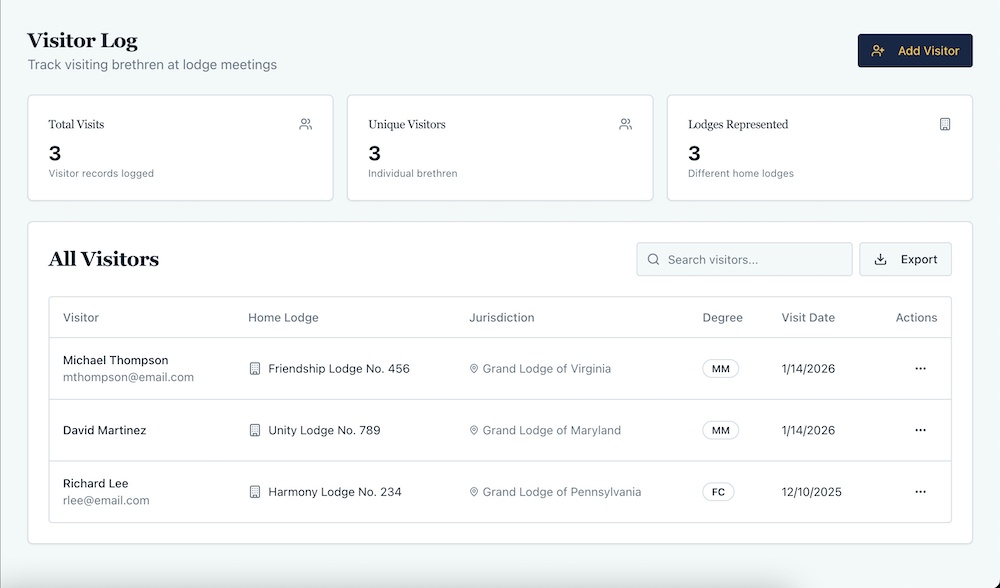
The visitor section tracks Brothers from other lodges who visit yours.
Record visitor name, home lodge name and number, jurisdiction, degree, visit date, and which meeting they attended.
Optional fields for email, phone, and notes if you want to follow up or stay in touch.
The dashboard shows total visits logged, unique visitors, and how many lodges you’ve had represented.
Search visitors by name, lodge, or jurisdiction. See everyone from a particular Grand Lodge or everyone who visited in a particular month.
Export visitor data to CSV for Grand Lodge reports or reciprocity tracking.
This is simple data entry, but having a dedicated place for it means it actually gets done consistently. With spreadsheets or paper logs, most lodges track this poorly or not at all.
Managing Documents
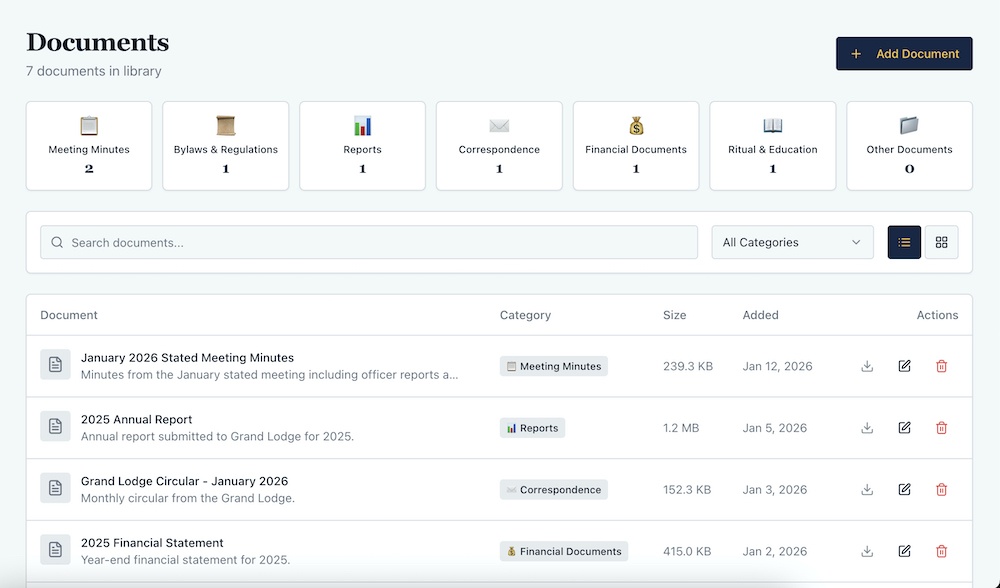
The documents library is where you store everything important. Meeting minutes, financial reports, bylaws, correspondence, forms, policies.
Categories include minutes, financial, bylaws, correspondence, forms, reports, and other.
Upload documents with name, category, and description. They’re searchable by name or description.
View documents in list or grid layout depending on your preference.
Meeting minutes PDFs auto-save here when you generate them. Everything preserved in one place.
Download, edit details, or delete documents as needed.
This solves the problem of important documents living on someone’s personal computer. When that person steps down, the documents don’t leave with them.
Everything’s in the cloud. Accessible to whoever needs it. Survives officer transitions.
Tracking Milestones and Recognition
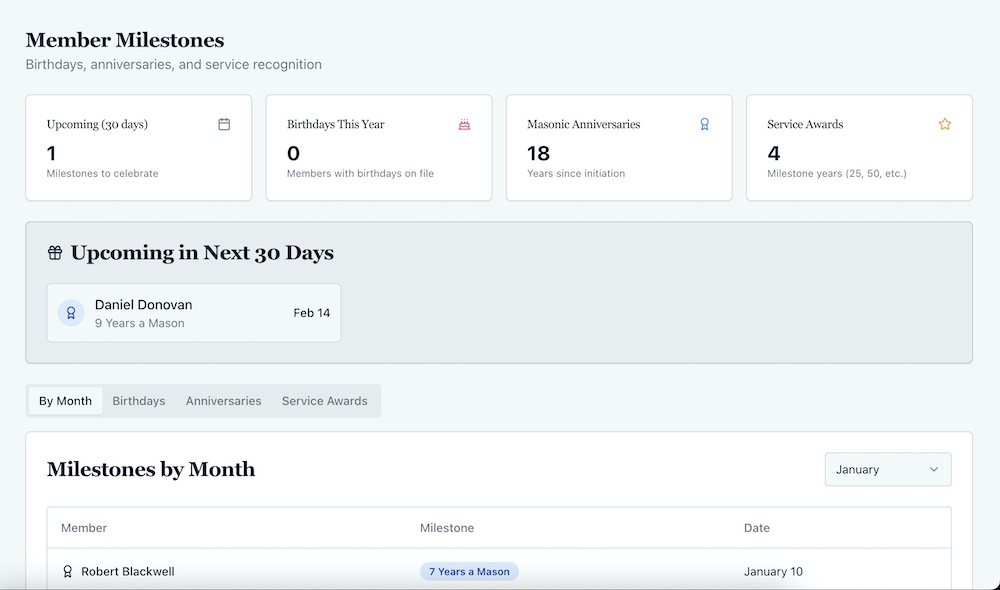
The milestones section tracks birthdays, Masonic anniversaries, Master Mason anniversaries, and service awards.
The system calculates these automatically based on member birth dates and degree dates from your member roster.
The dashboard shows upcoming milestones in the next 30 days, total birthdays this year, total Masonic anniversaries, and service awards due this year.
View milestones by month, by type (birthdays, anniversaries, etc.), or see everything upcoming.
Service awards automatically calculate for 25, 50, and 75-year milestones based on initiation dates.
This is useful for recognition and celebration. Most lodges lose track of who’s hitting major milestones. The system tracks it automatically so you never miss recognizing a Brother.
Understanding Your Lodge Health
The Lodge Health Indicator is a real-time calculated score showing your lodge’s overall health as a percentage.
It tracks four key metrics: membership, growth, finances, and attendance.
Each metric shows as a progress bar with color-coding. Excellent, good, fair, needs attention, or critical.
The system calculates this based on active member ratio, degree progression, dues collection rate, and meeting attendance.
You’re not entering this manually. It’s calculated automatically from your existing data.
This gives you a high-level view of how your lodge is doing. Not subjective impressions. Actual metrics.
If membership health is declining, you see it. If finances are critical, you see it. If attendance is excellent, you see that too.
It’s a dashboard for your lodge’s vital signs.
Viewing Your Dashboard
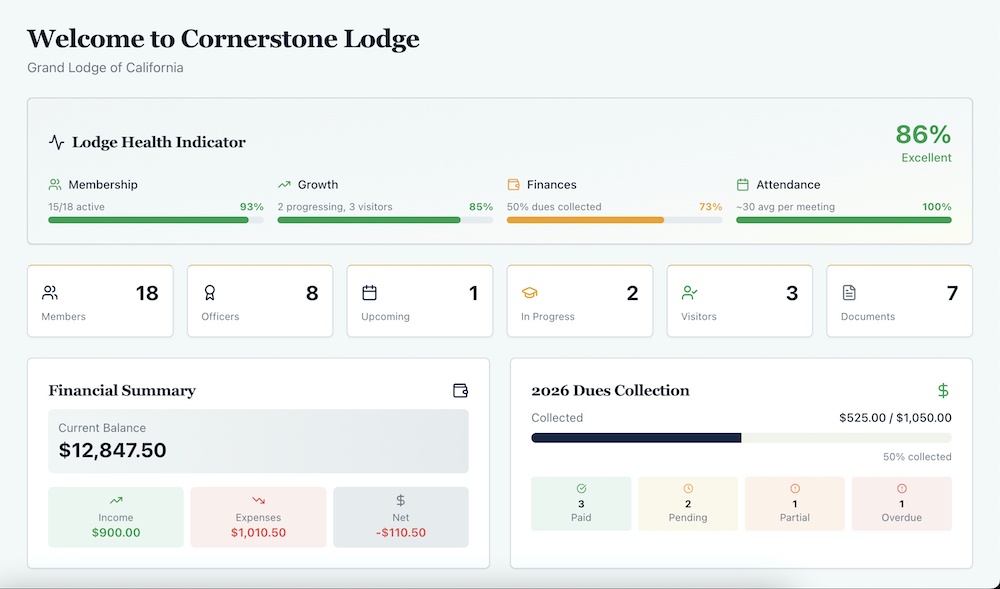
The main dashboard is where everything comes together. You see your lodge at a glance without digging through pages.
Lodge Health Indicator showing overall score and key metrics.
Quick stats showing total members, officers, upcoming meetings, active candidates, visitors logged, and documents stored.
Financial summary with current balance, income, expenses, and net. Color-coded so you know immediately if you’re in good shape or trouble.
Dues collection progress showing how much you’ve collected versus expected. Status breakdown showing who’s paid, pending, partial, or overdue.
The next three upcoming meetings with a countdown showing today, tomorrow, or the number of days until.
Next four member milestones within 60 days. Birthdays, anniversaries, service awards. Color-coded by type with emoji indicators.
Everything important is visible without clicking anywhere. You log in and know your lodge’s status immediately.
Exporting Data
Almost every section has CSV export. Members, officers, visitors, dues, finances, documents.
Need to send a report to Grand Lodge? Export what they need.
Want a backup of your data? Export everything.
Moving to a different system eventually? Your data’s not trapped. Export it anytime.
This is important. Your lodge’s data belongs to you. The system makes it easy to get it out in standard formats.
How Multiple Officers Use It
One of the biggest advantages is that multiple officers can access the same information.
Your Secretary logs in and sees everything. Your Treasurer logs in and sees the same member roster, the same dues tracking, the same financial data.
Your Worshipful Master can check meeting schedules without asking. Your Junior Warden can see attendance trends without requesting reports. Your Senior Deacon can track candidates without calling the Secretary.
Information isn’t locked in one person’s head or computer. It’s accessible to whoever needs it.
This doesn’t mean everyone has full admin access. You control who can see what. But visibility is built in, not an afterthought.
When officers change, the new officers log in and see what the old officers saw. No file box handoff. No explaining where things are. Just continuity.
What It Actually Feels Like to Use…
Most lodge management tools feel like you’re fighting software. Too many options. Too much clicking. Too complicated.
Masonic Lodge Secretary feels like you’re just tracking what you’d track anyway, but in one place instead of scattered across spreadsheets and files.
Add a member. Takes thirty seconds. Assign an officer. Takes thirty seconds. Record a dues payment. Thirty seconds.
Nothing requires training. Nothing requires reading documentation. You click what you want to do, and it’s obvious what to enter.
The system stays out of your way. You’re managing your lodge, not managing software.
The Mobile Experience
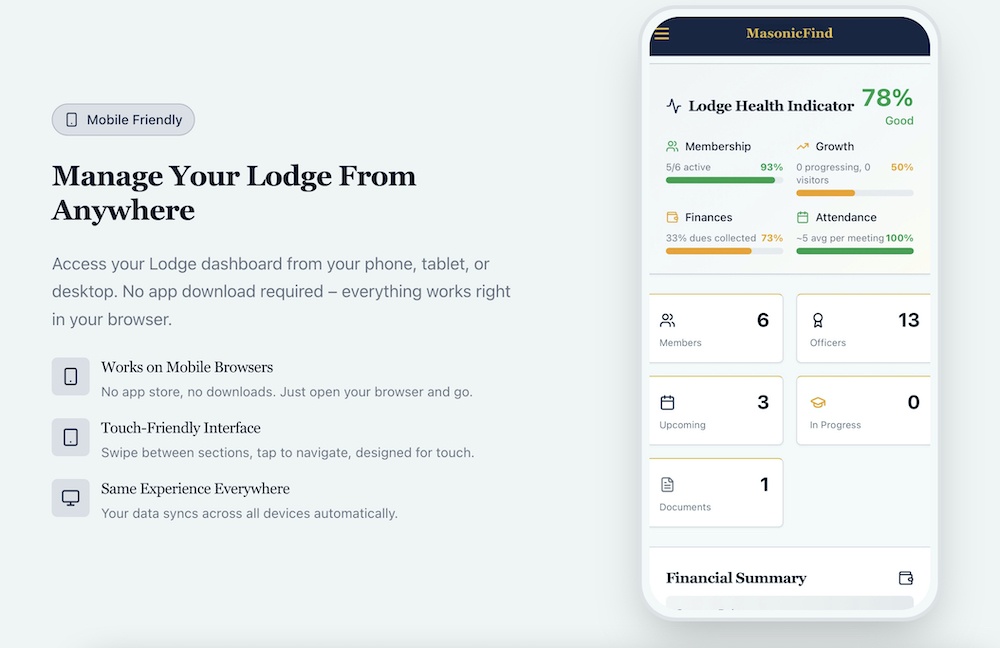
Everything works on phones and tablets. The interface adjusts automatically.
Need to record attendance at a meeting? Pull out your phone, check off who’s there, save. Done.
Need to look up a member’s contact info? Search on your phone, there it is.
You’re not tied to a computer. The system goes with you.
What You Don’t Need to Worry About
You don’t need to worry about backups. Everything’s in the cloud, backed up automatically.
You don’t need to worry about updates. The system updates itself. New features just appear.
You don’t need to worry about technical issues. It runs in a browser. No software to install, no compatibility problems.
You don’t need to worry about data loss during officer transitions. The new Secretary logs in and everything’s there.
Most lodge administration problems aren’t about the work itself. They’re about systems falling apart. Files getting lost. Information disappearing. Officers starting over.
Masonic Lodge Secretary solves the system’s problem. The work still has to happen. But the infrastructure for doing it reliably is built in.
What It Costs and What You Get
There are currently two discounted price options (with the current introductory offers and bonuses):
$147 per year or $347 one-time for lifetime access.
Both include everything. Full access to all features. Members, meetings, attendance, dues, finances, degree tracking, visitors, documents, milestones, exports, everything.
The lifetime option pays for itself in under three years. After that, it’s free forever.
Future updates included. No recurring fees. Priority support for lifetime members.
The annual is normally $297, and the lifetime is normally $597. You’re saving $150 on an annual, $250 on a lifetime.
You’re not paying for software. You’re paying for systems that outlast individual officers. For institutional memory that doesn’t walk out the door.
For questions that get answered in seconds instead of requiring phone calls.
How to Get Started
Go to MasonicLodgeSecretary.com.
Complete checkout, sign up with your email, and create your lodge profile.
You can start with the demo mode if you want to see how it works with sample data. Explore everything. See how it feels. Then clear the demo data and start fresh with your real lodge.
Or skip the demo and start entering your actual data immediately. Either way works.
Import your member roster from CSV if you have it in a spreadsheet. Or add members one at a time. However, you want to do it.
Set up your officers. Schedule your meetings. Configure your dues.
The system grows with you. You don’t need everything perfect on day one.
Within an hour, you’ll have the basics working. Within a week, you’ll have everything running.
The next officer transition? Instead of handing over a file box and explaining where things are, you just give them login credentials. Everything’s already there.
That’s what good administration looks like. Not harder work. Smarter systems.
And that’s what the Masonic Lodge Secretary AI tool gives you. Give it a try here.
TrestleLog: Finally, a proper way to log your Masonic journey. Track every meeting, degree and milestone in one place.
Great Masonic Library: Unlock 300+ rare and out-of-print Masonic books that most Masons will never get to read.
MasonicMentor.AI: Get instant answers to your Masonic questions, any time. Like having a wise mentor available 24/7.
Masonic Courses: Go deeper than your Lodge can take you. In-depth courses on history, ritual and philosophy at your own pace.
FreemasonryAI: Save hours every month with 150+ AI prompts built specifically for Lodge officers and Masonic education nights.
Masonic Etiquette: Know exactly how to conduct yourself in Lodge. The guide every Mason wishes they had from day one.
Masonic Lessons: The lessons behind the ritual, explained clearly. Deepen your understanding at every degree.
Lodgeman Bundle: Everything a dedicated Mason needs in one bundle. The best value way to invest in your Masonic education.
Masonic Lectures: Classic lectures that have shaped Freemasonry for generations, ready for you to study and deliver.
The Masonic Way: Freemasonry is more than a meeting. Discover how to live its principles every single day.
100 Facts About Freemasonry: Surprising, fascinating and little-known facts about the Craft. Perfect for Masons and curious minds alike.
Become a Freemason: Thinking about joining? This guide walks you through everything you need to know before you knock on the door.